← Blog
 Eugene Arutyunov
Every Conversation Leaves a Fingerprint
The Velma conversation fingerprint is our house visualization for conversations: wherever one shows up — in the product, in a report, in a demo — it leaves the same recognizable picture. Every picture below is this same component, only the settings differ.
Clips and lanes
Time runs left to right in clips — fragments of speech, not raw audio. Every speaker gets a lane.
Bare clips: who spoke and when.
Color is a detected emotion, a glyph is a detected behavior.
One speaker.
Five speakers.
Color is emotion
One color per emotion in the model’s vocabulary, straight from the design system.
emotion-angry
emotion-disgusted
emotion-afraid
emotion-surprised
emotion-happy
emotion-sad
emotion-neutral
emotion-other
emotion-unknown
Every scale
The fingerprint speaks the same language at every size — that is what makes it an asset rather than a chart.
The smallest scale: design-system icons, the language compressed to a few bars.
Miniatures in a table, next to their conversations.
| Fingerprint | Conversation |
|---|
Or in a plain flow, wrapping like text.
Full size, as pure data — no player.
Lanes can be technologies
The same call analyzed by two engines, one lane each. A clip that carries a signal blooms its color into the lane; a glyph with a count stands for several signals.
One selected signal: a catch, or a red-marked false positive.
A whole demo on one timeline
Velma’s fraud-call demo: the transcript, the signal feed and the risk meter all run off the fingerprint’s timeline. Click the plate to play.
The playground has the dials: set the room, flip the switches, export the result as data, or import a real conversation.
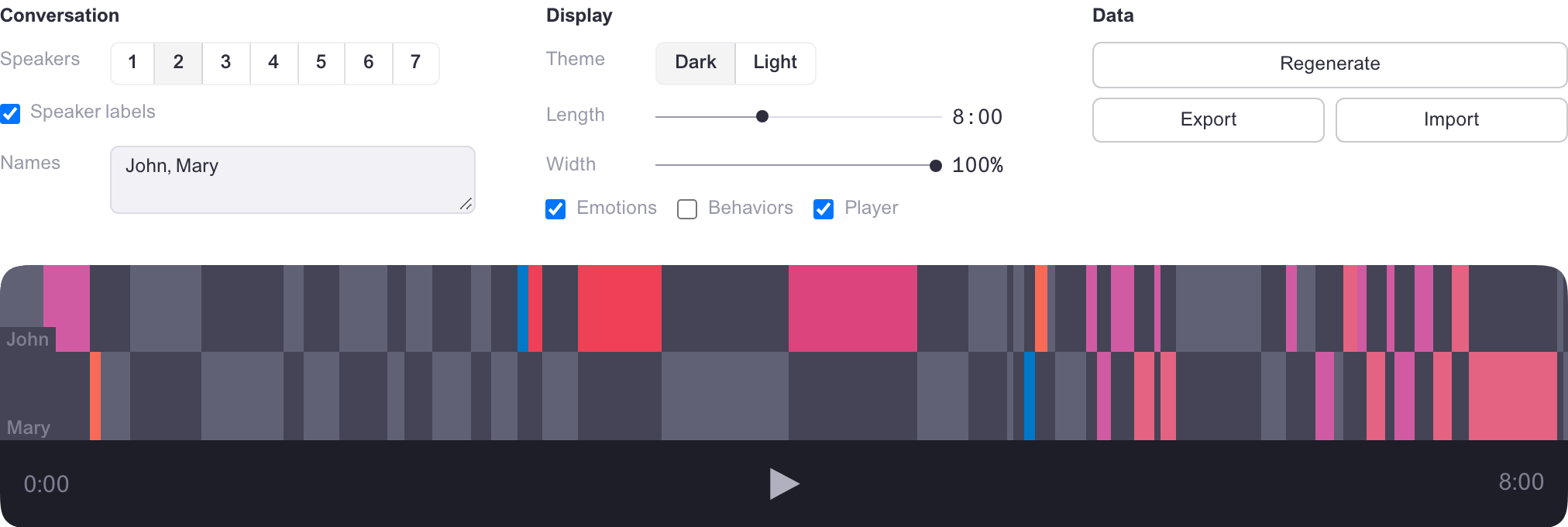
Try it: Velma Conversation Fingerprint.